The best website exporter depends on the site and why you need the files. A Webflow project owner, a Framer customer with only a published URL, and a developer archiving a simple static site need different tools.
To download your website as a ZIP, scan a public URL you own or are authorized to export and select the pages you need. Free keeps images and fonts linked to the source; eligible paid exports offer asset downloading. Unzip and test the result before treating it as an independent copy.
How this comparison was verified
Last verified: August 29, 2026. We reviewed each provider's public product page, documentation, pricing information, and downloadable-output description. We did not run an unpublished standardized five-site benchmark, so this article does not present invented scores or fixed performance gains.
Capabilities marked “test” are either site-dependent or not documented clearly enough to promise. Pricing changes frequently; follow the source link before buying. “Output control” describes access to downloaded files, not ownership of third-party designs, copy, fonts, images, or code.
For NoCodeExport, the prospective website export reliability benchmark methodology defines a 60–90-day cohort and publication rules. The collection window has not started, so it does not supply a score or change the ordering in this comparison.
Six exporter options at a glance
| Tool | Source and output control | Asset handling | JavaScript rendering | Full-site support | Pricing model |
|---|---|---|---|---|---|
| NoCodeExport | Published URL to downloadable HTML/CSS/JS package | Downloads accessible site assets according to export scope | Uses a browser-rendered capture workflow; test application behavior | Multi-page crawling depends on export plan and reachable links | Free entry and paid export plans; see pricing |
| Webflow native export | Direct project export to a ZIP | Includes assets Webflow places in the export | Exports Webflow's project code rather than crawling a rendered site | Static project pages; documented exclusions apply | Paid Workspace plan required |
| NocodeXport | Published URL workflow described on its product page | Provider says files are packaged for download; verify remote dependencies | Product page describes Framer export; test complex interactions | Verify crawl depth and limits before purchase | Check current provider pricing |
| SitedIn | URL-based website download workflow | Verify which assets remain external in a sample export | Rendering coverage is site-dependent; test client-rendered routes | Verify page limits and crawl rules | Check current provider pricing |
| SaveWeb2ZIP | Public URL to a downloadable archive | Intended to collect page resources; audit omissions | Dynamic applications and authenticated content require testing | Useful for accessible public pages; crawl coverage varies | Public web utility; check current limits |
| HTTrack | Open-source local crawler and offline mirror | Downloads linked files according to filters | Limited for modern client-rendered applications | Strong configurable link crawl for traditional sites | Free, open source |
1. NoCodeExport
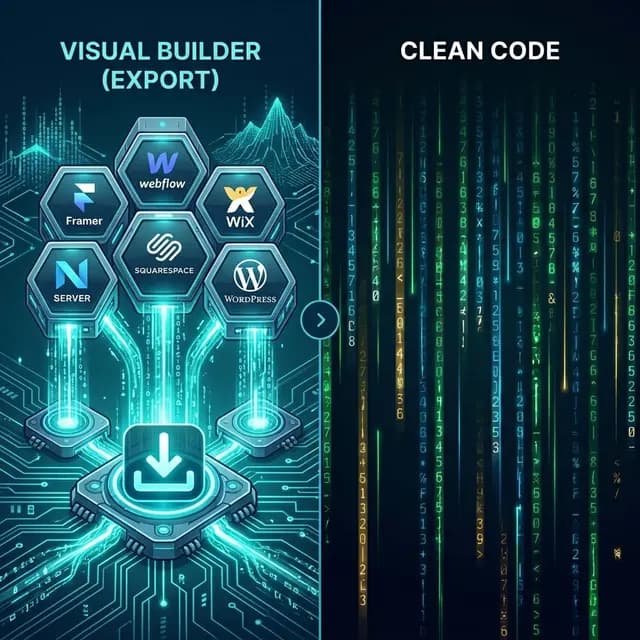
NoCodeExport is designed for published no-code sites from platforms such as Framer, Webflow, Wix, Squarespace, and WordPress. It produces files for local review, self-hosting, or developer handoff.
Use it when the live URL is the available source and you need a browser-rendered capture. After export, check asset locations, routes, forms, embeds, analytics, consent, and any interaction that depends on the original platform.
2. Webflow native code export
Webflow's own export has direct project access, which is valuable when you own the project and have the required Workspace plan. It exports static HTML, CSS, JavaScript, and included assets. Webflow documents exclusions for CMS functionality, user accounts, ecommerce, most localization, site search, form processing, password protection, and code components.
Use it for a Webflow project whose static frontend is the intended deliverable. See how to export Webflow code for the migration checklist.
3. NocodeXport
NocodeXport markets URL-based exports for no-code builders and has a dedicated Framer tool page. Its public page is useful for understanding its claimed workflow, but validate an actual export before relying on animation, responsive-layout, asset, or multi-page coverage. Compare the downloaded files and network requests against the source site.
4. SitedIn
SitedIn presents a website-download workflow based on a live URL. Before purchasing, confirm crawl limits, rendering behavior, local asset coverage, and whether the output keeps external runtime dependencies. A representative page with navigation, lazy-loaded images, custom fonts, and an interaction is a better trial than a simple landing page.
5. SaveWeb2ZIP
SaveWeb2ZIP is useful for quick archives of publicly accessible pages. Treat it as an archiving utility rather than a promise to migrate a CMS or application. Review internal links, files loaded after interaction, media, fonts, forms, and routes not reachable through ordinary links.
6. HTTrack
HTTrack is a mature open-source offline browser with crawl filters and local link rewriting. It fits traditional server-rendered or static websites and gives technical users detailed crawl control. Modern single-page applications, authenticated routes, APIs, and interactions often need a browser-rendered method or a real rebuild.
What to check in every exporter
Output and ownership
Confirm that you receive ordinary files you can inspect and deploy. The exporter cannot grant rights to third-party content; verify contracts and licenses for design, copy, fonts, images, video, and templates.
Assets
Inspect HTML, CSS, and network requests for images, srcset, SVG, video, fonts, stylesheets, and scripts. Decide which dependencies may remain external and which must be stored under your control.
JavaScript rendering
Test menus, tabs, accordions, sliders, scroll effects, modal dialogs, client-side routes, and content loaded after consent or interaction. A page that looks correct at first paint can still be incomplete.
Full-site coverage
Compare the export's URL list with a sitemap and your own page inventory. Check pagination, orphan pages, alternate locales, query-driven pages, canonicals, and redirect targets.
Dynamic systems
Static files do not recreate authentication, CMS editing, search indexes, ecommerce, databases, form processing, or private APIs. Map each system to a replacement before launch.
A fair test on your own website
- Pick a representative page, not the simplest page.
- Export only content you own or have permission to migrate.
- Run the package on a test host with the original site still online.
- Compare desktop/mobile layout, assets, interactions, forms, metadata, and status codes.
- Inspect external requests and remove dependencies only after testing.
- Estimate cleanup time as part of the price.
No exporter can be selected responsibly from a headline alone. Match the tool to source access, test the actual output, and plan separate migrations for dynamic services.