We are standing at a massive inflection point in web development. The barriers between designing and coding have all but vanished. AI can generate entire interfaces from a text prompt. No-code platforms let anyone build a polished website in hours. But a critical question remains unanswered for most builders: who actually owns the code?
The Rise of AI Website Builders
Tools like v0.dev, Framer AI, and Wix ADI allow you to generate entire interfaces from a text prompt. This is incredible for speed. You can iterate 100 variations of a landing page in an hour.
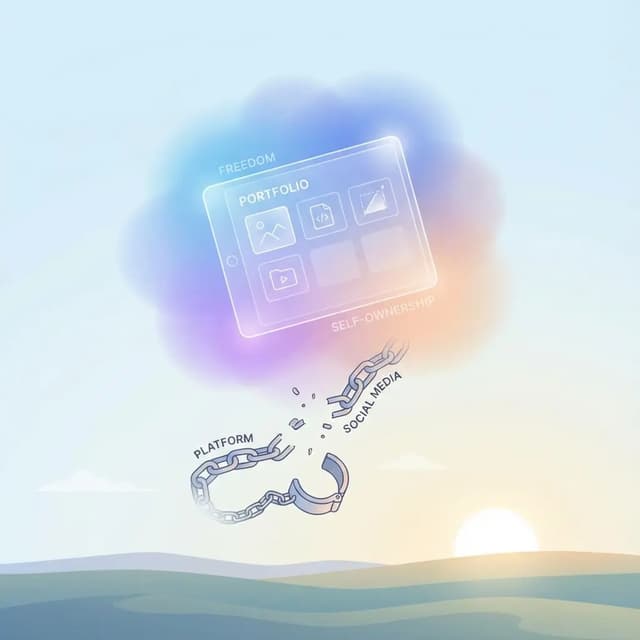
However, this ease of creation comes with a risk: platform dependence. If the AI tool lives inside a walled garden like Wix, Squarespace, or a proprietary builder, you are renting your online presence. If they raise prices, change terms, or shut down, you lose everything.
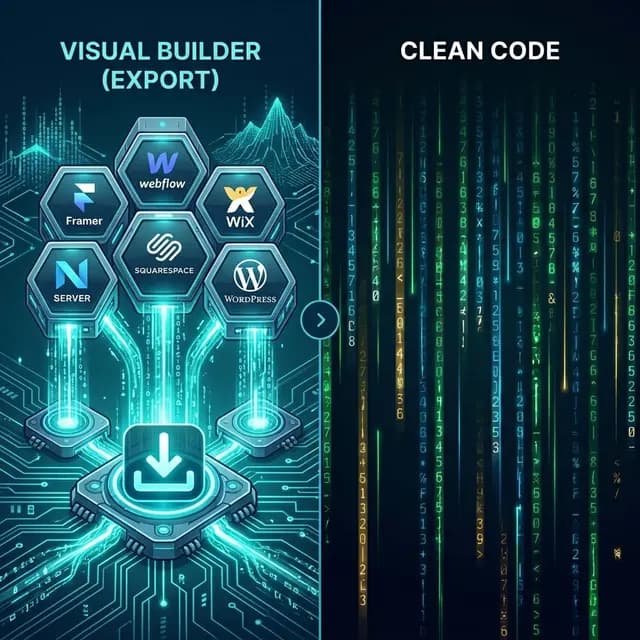
The same risk applies to no-code platforms that have existed for years. Framer, Webflow, and Wix all produce beautiful results, but the code lives on their servers, not yours.
Why Code Ownership Matters More Than Ever
In 2026, the average small business website costs $17 to $49 per month to host on a no-code platform. Over three years, that adds up to $612 to $1,764 in hosting fees alone for what is often a static marketing site.
| Scenario | 1-Year Cost | 3-Year Cost |
|---|---|---|
| Wix Premium | $204--$432 | $612--$1,296 |
| Squarespace Business | $396 | $1,188 |
| Framer Pro | $240 | $720 |
| Self-hosted (exported) | $0--$12 | $0--$36 |
The financial argument is clear. But cost is only part of the equation:
- Portability. If you own the HTML/CSS/JS, you can move to any hosting provider in minutes. No migration headaches, no vendor negotiations.
- Customization. With raw code, any developer can modify your site. You are not limited to what the platform supports.
- Performance control. Exported static sites can be measured and optimized on a chosen stack; the result depends on each page, its assets, scripts, and hosting.
- Longevity. HTML is the most stable technology on the web. It has worked since 1993 and will work in 2036. The same cannot be said for any specific platform.
The Export Paradigm
This is why we believe the future of web development is tool-agnostic:
- Use AI to generate ideas and iterate rapidly.
- Use no-code tools to refine the visual design.
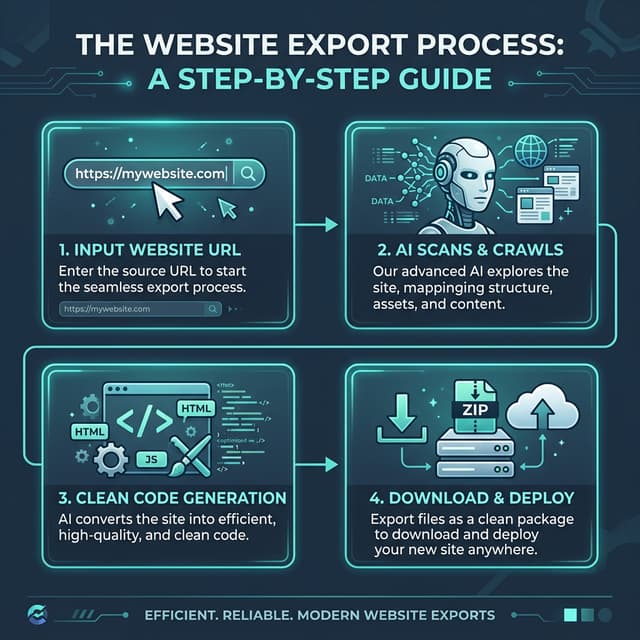
- Export the code to own the final product.
Tools are becoming ephemeral. The code is permanent.
This workflow gives you the best of both worlds: the speed of visual builders with the independence of raw code. You can use Framer for its incredible animation tools, then export to HTML and host anywhere. You can build on Webflow for its design precision, then use a Webflow exporter to break free from their hosting costs.
What No-Code Platforms Do Not Tell You
Most no-code platforms market themselves on ease of use. What they downplay is the cost of leaving:
- Wix has no export button. Your site is trapped. See our Wix export guide for how to get your code out.
- Squarespace only exports XML (blog text). Your design, CSS, and images are not included. Read our guide on exporting Squarespace to HTML.
- Framer's editor has no code-export button, though every published Framer site is served as standard HTML, CSS and JavaScript. Retrieving it takes an external tool — see get code from Framer.
- Webflow gates code export behind expensive Workspace plans starting at $28/month. Our Webflow exporter works without a paid plan.
This lock-in is by design. Platforms profit from recurring subscriptions, and making it easy to leave would undercut their business model.
What Is Next for AI and No-Code
We predict several shifts in the coming years:
Standardized output. More tools will offer clean HTML or React export as a standard feature, not a premium upsell. Market pressure from export tools will force this.
AI refactoring. AI agents will take the verbose, framework-specific code from drag-and-drop builders and refactor it into clean, maintainable components automatically. The gap between builder output and hand-written code will shrink.
Hybrid roles. The distinction between designer and frontend developer will continue to blur. The emerging role of product engineer combines visual design skills with technical execution, using AI and no-code tools to ship complete products.
Platform consolidation. Some no-code platforms will merge or shut down. Builders who own their code will be unaffected. Builders locked into a discontinued platform will scramble.
How to Protect Yourself
Regardless of which tools you use to build your site, follow these principles:
- Export regularly. Keep a current HTML backup of your site. Even if you continue hosting on the platform, having a portable copy is insurance.
- Own your domain. Register your domain separately from your hosting provider. This ensures you can point it anywhere if you need to move.
- Document your stack. Keep a record of which forms, integrations, and dynamic features your site uses. This makes migration smoother.
- Test your exports. Periodically verify that your exported files work correctly on a static host. Catch issues before they become emergencies.
Conclusion
Embrace the new tools, but never give up the keys to your house. Build fast, but own what you build. AI and no-code platforms are incredible accelerators, but they should be tools in your workshop, not landlords of your business.
That is the philosophy behind NoCodeExport. Use any builder you want. Then export your code and take it with you.
Related Guides
- Best no-code export tools -- Compare export options across all platforms
- Website downloader: any public site to a ZIP of HTML, CSS and JS -- The tool itself
- How to copy HTML code from a website -- Methods and tools