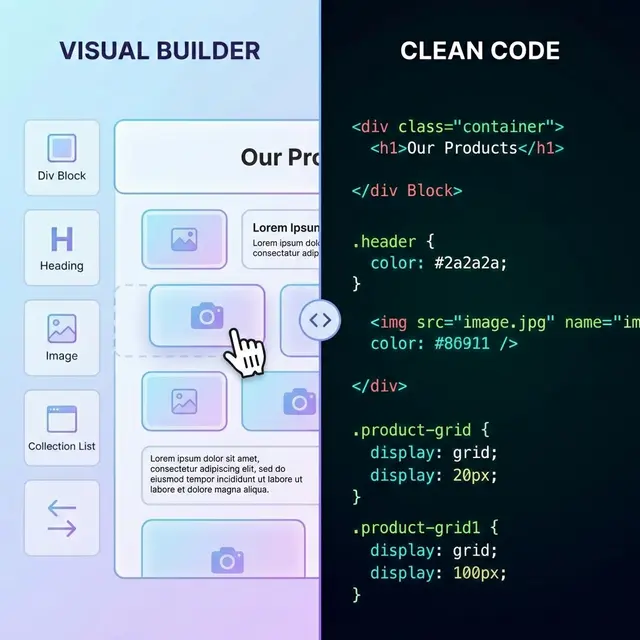
Export your site to HTML
Paste a public URL. The free plan exports a single page with no card required.
Wix does not have an export button. Unlike platforms such as WordPress that let you download your content, Wix keeps your website locked inside their ecosystem. But that does not mean you cannot export a Wix website. With the right tool, you can convert any published Wix site into clean HTML, CSS, and JavaScript files that you own and can host anywhere.
This guide walks through the entire process of exporting a Wix website, from preparation to deployment.
Can You Export a Wix Website?
Yes, but not through Wix itself. Wix deliberately does not provide any code export feature. The platform is designed to keep you on their hosting and paying their monthly subscription.
However, you can export a Wix website using external tools that crawl your published site and save the rendered HTML. These tools work because every Wix site is ultimately delivered as standard HTML, CSS, and JavaScript to the browser. An export tool captures that output and packages it into downloadable files.
The most effective way to export a Wix website is with a dedicated exporter like NoCodeExport that handles the unique challenges of Wix sites: their heavy JavaScript runtime, proprietary font loading, and complex DOM structure.
Why Export Your Wix Website?
There are several reasons site owners choose to export a Wix website:
Cost Savings
Wix premium plans range from $17 to $36 per month, which adds up to $204 to $432 per year. Exporting your Wix website and hosting the static files on a free provider eliminates this ongoing cost entirely.
| Wix Hosting | Self-Hosted (Exported) | |
|---|---|---|
| Monthly cost | $17--$36 | $0 |
| Annual cost | $204--$432 | $0 |
| 3-year cost | $612--$1,296 | $0 |
Performance
Wix pages can depend on platform scripts and external assets. An export gives you a separate frontend to inspect and optimize, but the result varies by page. Compare the original and exported site using the same test conditions, then remove a dependency only after confirming that the site still works.
Code Ownership
Once you export a Wix website, you own the HTML, CSS, and JavaScript. No vendor lock-in, no platform dependency. You can modify the code, integrate it with any backend, or hand it off to a developer.
Migration Flexibility
Exporting gives you a clean starting point. You can host the static files as-is, or use them as a reference to rebuild in a framework like Next.js. For complex sites, see our Next.js rebuild service.
How to Export a Wix Website Step by Step
Follow these steps to export your Wix website using NoCodeExport:
Step 1: Prepare Your Wix Site
Before you export, make sure your Wix site is ready:
- Publish all pages you want to include
- Ensure no critical pages are in draft mode
- Remove any password protection on pages you want exported
- Note which pages use Wix Velo or dynamic content (these require special handling)
Step 2: Scan Your Wix Site
- Go to the Wix export tool.
- Paste your Wix site URL (either your custom domain or
yourname.wixsite.com/mysite). - Click Analyze.
The scanner will detect that your site runs on Wix, count your pages, identify forms, and report any potential issues.
Step 3: Configure Export Settings
Choose your export options:
- Scope: Single page or full site. Full site crawls all discovered internal links.
- Forms: Select how forms should work after export. Options include hosted forms (email forwarding), Formspree, Netlify Forms, or custom endpoints.
- Optimization: Enable HTML/CSS minification for smaller file sizes.
Step 4: Run the Export
Click Export and watch the progress. The tool will:
- Launch a headless browser to render each page
- Strip Wix runtime scripts and analytics trackers
- Remove platform watermarks and editor artifacts
- Process and organize assets (images, fonts, CSS, JS)
- Rewrite internal links for local hosting
- Configure forms with your chosen submission method
- Package everything into a ZIP file
Exporting a typical Wix website with 5 to 15 pages takes 90 to 180 seconds.
Step 5: Download and Deploy
Download your ZIP file. Inside you will find:
- HTML files for each exported page
- CSS stylesheets preserving your design
- JavaScript files for interactive components
- Images and fonts
- A README with deployment instructions
Upload these files to any static hosting provider and your site is live.
What Happens When You Export a Wix Site
What Gets Exported
- All published page content and layout
- CSS styling, typography, and colors
- Responsive design breakpoints
- Images and background media
- Navigation menus and footer
- Scroll animations (recovered with native browser APIs)
- Contact forms (rewritten for portability)
What Does Not Transfer
- Wix Velo code. Server-side JavaScript and database queries are platform-specific.
- Wix Stores. Ecommerce functionality requires a backend.
- Wix Bookings. Appointment scheduling depends on Wix infrastructure.
- Member areas. Login-gated content cannot be exported as static HTML.
- Dynamic content filters. Database-driven filtering needs server-side logic.
For a detailed breakdown of what transfers, see the performance and troubleshooting sections below.
Export Wix Website: Free vs Paid Options
| Feature | Free Plan | Pro Plan ($10/mo) |
|---|---|---|
| Exports per month | 10 | 50 |
| Pages per export | 8 | 100 |
| Assets | Hotlinked (online) | Downloaded (offline) |
| SEO Audit | Not included | Full site audit |
| GitHub Deploy | Not included | One-click deploy |
| Netlify Deploy | Not included | One-click deploy |
| Dependency Auto-Fix | Not included | Automatic |
The free plan is sufficient for small Wix sites. For larger sites or professional workflows, Pro adds offline assets, SEO audits, and deployment integrations.
After the Export: Hosting Your Wix Website
Once you export a Wix website, you need somewhere to host the files. All of these providers have free tiers:
| Provider | Free Tier | Deploy Method | Best For |
|---|---|---|---|
| Netlify | Check current plan | Drag and drop or Git | Managed static deployment |
| Vercel | Check current plan | CLI or Git push | Preview-based workflow |
| GitHub Pages | Check current limits | Git repository | Repository-hosted sites |
| Cloudflare Pages | Check current plan | Git or direct upload | CDN-backed static deployment |
For step-by-step hosting instructions, see our free hosting comparison.
Performance: Wix Hosted vs Exported
Run a before-and-after test on the exact site. Record Core Web Vitals, total transfer, JavaScript execution, external requests, and broken behavior. Improvements are credible only when the test conditions and export are stored and reproducible.
Troubleshooting Common Issues
Fonts look different after export. Some Wix sites use platform-hosted fonts that may not be included. Check your CSS for font references; Google Fonts references are preserved automatically.
Animations are not playing. Wix uses a custom animation engine. NoCodeExport injects cross-platform scroll-reveal and ticker helpers to recover most animations.
Third-party widgets are broken. Chat widgets, booking tools, and embedded apps that depend on Wix's backend will not work after export. Replace them with standalone alternatives (Tawk.to for chat, Calendly for booking).
Pages return 404 on refresh. Configure your host to serve index.html for all routes. On Netlify, add a _redirects file with the rule "/* /index.html 200".
Frequently Asked Questions
Does Wix allow you to export your website? No. Wix does not provide any built-in code export feature. You need an external tool to export a Wix website. NoCodeExport works by crawling your published site and capturing the rendered output.
Will my exported Wix website look the same? Yes, for static content. The export captures the exact HTML, CSS, and visual layout that visitors see. Animations are recovered through cross-platform lightweight helpers. Server-side features like Wix Velo will need to be replaced.
Is it free to export a Wix website? Yes. NoCodeExport offers a free plan with 10 exports per month, one page per export. Full-site exports of up to 100 pages start on Pro.
How long does it take to export a Wix website? Typically 90 to 180 seconds for a 5 to 15 page site. Larger sites take proportionally longer.
Can I export my Wix website and move to WordPress? Yes. Export your Wix website to HTML first, then use the static files as a reference for rebuilding in WordPress or any other platform. Alternatively, you can host the exported HTML directly without any CMS.
Related Guides
- Best no-code export tools -- Compare tools across all platforms
- Free static hosting providers -- Where to host after export
Ready to Export Your Wix Website?
Wix makes it easy to build a site but hard to leave. Exporting gives you back control of your code, eliminates monthly hosting fees, and dramatically improves page speed.
Export your Wix website for free and take ownership of your site today.