Wix has raised its subscription prices multiple times in the past two years. If you renewed recently and your invoice looked higher than expected, you're not imagining things — Wix pricing has gone up significantly, and another review is expected before the end of 2026.
This post covers what the price changes looked like, which plans were affected most, and what your realistic options are if you're looking to reduce or eliminate your Wix bill.
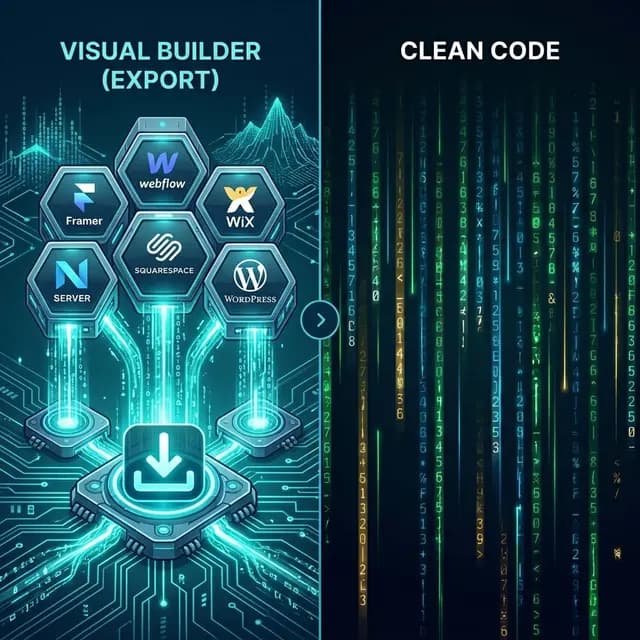
Want out of Wix entirely? Use the Wix to HTML exporter to download your site as clean, self-hostable files — no subscription required after export.
What Changed in Wix Pricing
Wix restructured its pricing tiers and raised costs across most plans. The changes affected both the legacy "Combo / Unlimited / Business" naming structure, which Wix transitioned away from, and the current "Light / Core / Business / Business Elite" tier naming.
Key changes users noticed:
- Entry-level plans increased by 15–30% for most markets
- Storage limits remained flat while prices rose
- E-commerce transaction fees changed for some markets
- Free subdomain removal was enforced more strictly, pushing users to paid plans faster
The practical effect: a site that cost roughly $16–17/mo in 2023 under a legacy plan now costs $24–29/mo on an equivalent current plan, depending on region.
Which Plans Were Hit Hardest
| Old plan | New equivalent | Old price (USD/mo) | New price (USD/mo) |
|---|---|---|---|
| Combo | Light | ~$16 | ~$17–22 |
| Unlimited | Core | ~$22 | ~$29 |
| Business Basic | Business | ~$27 | ~$36 |
| Business VIP | Business Elite | ~$49 | ~$159 |
The Business Elite increase was the largest in percentage terms, affecting agencies and power users who relied on the old Business VIP tier.
Why Wix Keeps Raising Prices
Wix is a publicly traded company under pressure to grow revenue per user. With user growth slowing in saturated markets, increasing per-user revenue through subscription price hikes is a predictable response. Wix has also added features to justify new pricing tiers, but many core users report paying more for capabilities they don't use.
Your Options If Wix Is Too Expensive
Option 1: Downgrade Your Plan
If your site doesn't need e-commerce or CMS features, the Light plan covers most basic use cases. Review what you're actually using before upgrading automatically.
Option 2: Move to a Different No-Code Platform
Builders like Webflow, Framer, and Squarespace have similar or lower effective costs at comparable functionality tiers. The migration cost is real, but for a long-running site it can pay off within 12–18 months.
Option 3: Export and Self-Host
This is the most permanent solution. You export your Wix site to HTML, CSS, and JS, then host the files yourself on Netlify, Vercel, Cloudflare Pages, or a similar static host — typically either free or at a cost of $1–5/month.
The tradeoff is that you lose Wix's visual editor and any dynamic CMS features, but for sites that don't change frequently, this is often a worthwhile trade.
How it works:
- Build and publish your Wix site to its public URL as usual
- Run the Wix exporter — it crawls your live site and produces a ZIP of clean HTML/CSS/JS
- Deploy the ZIP to a static host of your choice
- Point your domain to the new host and cancel your Wix subscription
For a standard marketing site or portfolio, the whole process takes under an hour and eliminates a recurring $17–29/month bill permanently.
What You Lose by Leaving Wix
Be clear-eyed about what won't survive:
- Wix's drag-and-drop editor — you'd need a different tool to make changes after export
- Wix forms — you need to replace form submission with Formspree, Basin, or similar
- Dynamic content from Wix CMS — blog posts and collections won't auto-update without a headless CMS setup
- Wix App Market integrations — anything using a Wix-native app will need an equivalent replacement
For frequently updated content sites or stores, staying on Wix (or migrating to a different platform's editor) makes more sense than a static export. For brochure sites, portfolios, and event pages that rarely change, static export is a clean solution.
What You Keep
- The design exactly as visitors see it
- All images and assets
- Title tags, meta descriptions, and Open Graph data
- Internal link structure
- Responsive layout
The Wix to HTML exporter preserves your rendered frontend output, so the full visual experience transfers cleanly.
Related Guides
Bottom Line
Wix pricing increases aren't likely to stop. If your site was built years ago under a legacy plan, review what you're paying now versus what you actually use. For static sites, exporting to HTML and moving to free or near-free hosting is a permanent way to stop paying a recurring fee for a site that doesn't need a live platform backend.