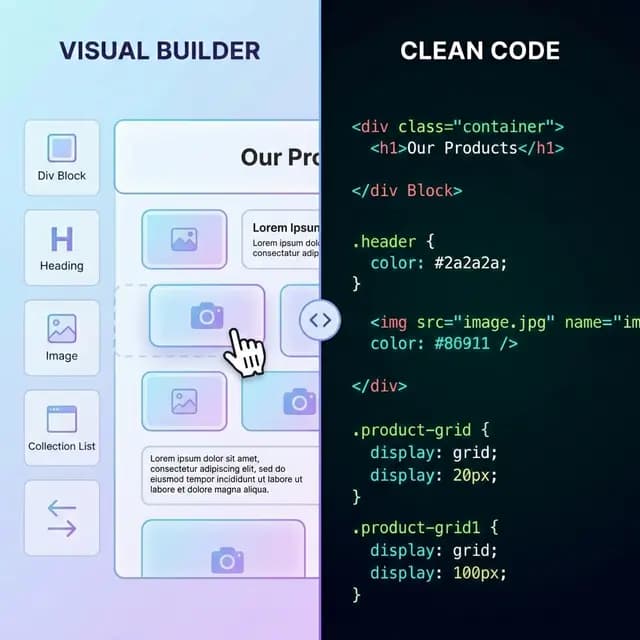
Webflow is arguably the most powerful visual web developer tool on the market today. It offers unparalleled control over CSS grid, flexbox, and complex interactions (IX2).
But beautiful websites come at a steep price. As your business scales—adding more CMS items, increasing traffic, and expanding your team—you will quickly find that Webflow is too expensive.
If you are currently evaluating your monthly software spend and gasping at your Webflow invoice, you're not alone. Here is how you can break free and self-host for practically nothing.
The Webflow Pricing Trap
Webflow's pricing model is notoriously complex, separating "Site Plans" (for hosting) and "Workspace Plans" (for team collaboration). It is entirely possible for a small agency or growing startup to pay hundreds of dollars a month just to keep a marketing site online.
Here's how the costs sneak up on you:
- The CMS Limit: The basic CMS plan limits you to a strict number of items (like blog posts or portfolio pieces). The moment you need item number 2,001, you are forced to upgrade to a Business tier, significantly increasing your monthly bill.
- Bandwidth Caps: Traffic spikes are great for business, but terrible for your Webflow bill. Exceeding your bandwidth limits can trigger automatic, expensive plan upgrades.
- Per-Seat Workspaces: Want more than three people on your team to have access to the project? That's an expensive enterprise contract waiting to happen.
- No Native Backend: You are paying premium hosting prices, yet you still can't run custom server-side Node.js or Python scripts on the same server.
The Alternative: Exporting and Self-Hosting
What if you could keep the incredible design experience of Webflow, but bypass their hosting entirely?
By exporting your site's code, you transition from renting your digital presence to owning it. You can host a static website on modern infrastructure for pennies (or even for free) compared to Webflow.
1. Free and Low-Cost Hosting Providers
- Netlify & Vercel: Both offer incredibly generous free tiers that include global CDNs, SSL certificates, and automated deployments from GitHub.
- Cloudflare Pages: Known for unbeatable speed and bandwidth subject to current plan terms on their free tier.
- DigitalOcean or AWS ($5/mo): If you need a traditional server environment with custom backend databases, a basic $5/mo droplet provides vastly more control and power than Webflow's basic plan.
2. How to Escape Webflow Safely
Historically, leaving Webflow meant doing a massive, painful rebuild on WordPress. Today, you can simply use NoCodeExport to pull the live HTML, CSS, and JS off your published Webflow domain.
💡 Pro Tip: If you need to manage dynamic content without Webflow's CMS, consider exporting the static shell of your site and hooking it up to an open-source Headless CMS like Strapi or Directus. You get the visual design of Webflow with a free, self-hosted database.
Related Resources
Keeping What Makes Your Site Great
The main reason people stay paying Webflow's expensive fees is fear—fear that they will lose their complex interactions (IX2) or that forms will break.
When using a dedicated export tool, these elements are preserved. The extracted JavaScript contains all the logic necessary to keep your parallax loops and entrance animations running perfectly on any $5 server around the world.
Stop paying a premium just for standard hosting. Export your Webflow site to clean HTML today and take back control of your budget.