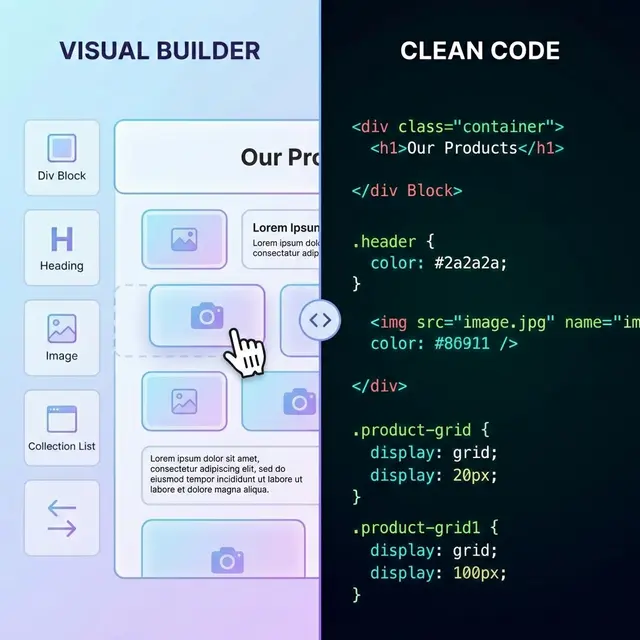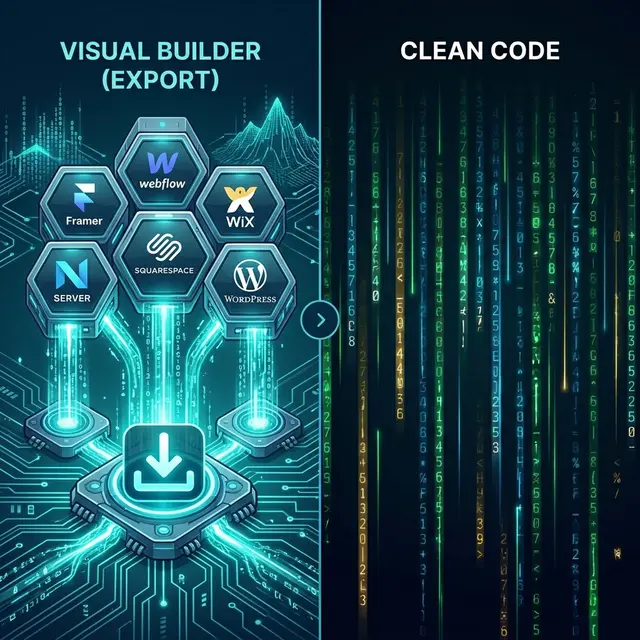
If you built a site in Framer, Webflow, Wix, Squarespace, or WordPress, there is a good chance you eventually asked the same question: how do I get the actual website code out so I can host it myself?
A website code exporter solves exactly that problem. Instead of rebuilding the frontend by hand, it converts a published site into portable HTML, CSS, JavaScript, and assets you can deploy on your own stack.
Try the NoCodeExport website code exporter if you already have a live URL. For builder-specific workflows, start with the Framer export tutorial or how to export Webflow code.
What a website code exporter is actually for
Most people do not want exported code for its own sake. They want one of these outcomes:
- move the site off a locked-in builder
- host on Netlify, Vercel, GitHub Pages, or their own infrastructure
- hand a stable ZIP to a developer or client
- improve performance and control what scripts run
- preserve a design while changing the hosting model
The exporter is the bridge between visual site builders and normal web hosting.
What NoCodeExport supports
NoCodeExport works with:
It works by crawling the live published frontend, not by depending on a proprietary editor export format. That is why it can handle multiple platforms with one workflow.
What you get in the export
For most sites, the output includes:
- HTML files for every crawled page
- linked CSS and JavaScript
- images and fonts based on your plan
- internal links rewritten for deployment
- preserved metadata like title tags and descriptions
- form configuration options
- a ZIP you can review, version, and deploy
That is the part many teams care about most: the result behaves like a real project handoff, not a partial code sample.
How the workflow works
The same process applies to almost every supported platform:
- Paste the published URL
- Run a scan
- Choose export settings
- Export the site
- Download the ZIP
- Review and deploy
No plugin installs. No need to request backend access to the original builder. No manual page-by-page copy-paste.
Supported platforms comparison
| Platform | Native export | NoCodeExport support | Why people export |
|---|---|---|---|
| Framer | None | Full | Self-hosting, developer handoff, ownership |
| Webflow | Limited and plan-dependent | Full | CMS snapshots, cleaner migration, portability |
| Wix | None | Full | Escape lock-in, performance gains |
| Squarespace | XML only for limited content | Rendered snapshot | Captures the published front end rather than only content XML |
| WordPress | Plugin-based approaches | Full | Static output without plugin maintenance |
The point is not just coverage. It is consistency. One workflow can handle multiple builders without forcing your team to learn five different migration playbooks.
Website code exporter vs native platform export
Here is the practical difference:
| Question | Native platform tools | NoCodeExport |
|---|---|---|
| Can I use one workflow across builders? | No | Yes |
| Can I start from a live public URL? | Not always | Yes |
| Is the result optimized for self-hosting? | Varies | Yes |
| Are forms and SEO considered in the workflow? | Usually not enough | Yes |
| Is code ownership the goal? | Often secondary | Core use case |
For teams that want operational freedom, a dedicated exporter is usually the cleaner choice.
What gets cleaned during export
A good exporter does more than copy source. It also removes the things you do not want to drag into a new hosting setup.
Typical cleanup includes:
- tracking and telemetry scripts you do not need
- platform badges and branding leftovers
- bulky builder-specific wrappers when possible
- broken form behavior tied to the original platform backend
- internal links that still point at builder domains
NoCodeExport is designed to produce deployment-ready output rather than a messy archive of whatever happened to be in the page source.
Forms, SEO, and assets
These three areas matter the most after export.
Forms
Forms almost never survive a platform migration unless someone handles the backend. That is why NoCodeExport lets you choose a form path instead of pretending the problem does not exist.
SEO
Exported pages should keep:
- title tags
- meta descriptions
- canonical tags
- Open Graph tags
- structured data already present on the page
You should still run a post-export review and resubmit your sitemap after launch. There is also a built-in SEO audit to catch common technical issues.
Assets
Depending on plan, assets can either:
- remain hotlinked for the fastest free path
- be downloaded for a more self-contained site package
That gives you a choice between speed and full asset ownership.
Check current plan limits before exporting
Export scope, asset handling, deployment helpers, and usage limits depend on the plan and can change as the product evolves. Use the live pricing page and the in-product export selector as the current source of truth instead of relying on quotas copied into an article.
Before starting a larger migration, confirm:
- whether you need one page or a full-site crawl;
- whether assets may remain linked or must be downloaded locally;
- which form, SEO, and delivery options are available for the selected plan;
- whether the discovered page count fits the current export limit.
Start with a representative page, inspect the ZIP, and choose a plan only after the output meets the project's requirements.
Common use cases
Teams usually use a website code exporter for one of these scenarios:
Self-hosting a no-code site
You like the design workflow, but not the long-term hosting dependency.
Client handoff
An agency wants to deliver files the client actually owns instead of leaving them dependent on the builder account forever.
Migration staging
You need a fast static version now, even if a full rebuild will happen later.
Performance cleanup
You want to trim platform baggage and host the site on faster static infrastructure.
When a website exporter is enough
Export is usually enough when the site is:
- primarily marketing content
- mostly static once published
- not dependent on complex authenticated logic
- already approved from a design perspective
For portfolios, SaaS marketing pages, launch pages, service sites, and brochure sites, that is often all you need.
When you should skip export and rebuild instead
Sometimes the better answer is not exporting at all. Rebuild when:
- the site needs dynamic app behavior
- the business logic matters more than the visual shell
- the content model must remain truly dynamic
- the team wants a long-term engineering codebase
That is where the Next.js rebuild service fits better than a static export. If you are still in the export stage, the Framer export tutorial and Webflow code export guide are the best starting points.
Website export QA checklist
Before launch, verify:
- all core pages load correctly
- forms submit to the chosen backend
- metadata is present in source
- images and fonts load correctly
- internal links are relative and working
- redirects are configured if paths changed
- analytics are intentionally re-added
- sitemap and robots are correct on the new host
Related guides by platform
Final takeaway
A website code exporter is not just a convenience tool. It is a practical way to regain control over hosting, deployment, and ownership without throwing away a finished design.
If your site is already live, the fastest next step is simple: scan the URL, export the site, review the ZIP, and deploy it like any other static project.
Export your website code and use the platform-specific guides above when you need a deeper migration checklist.