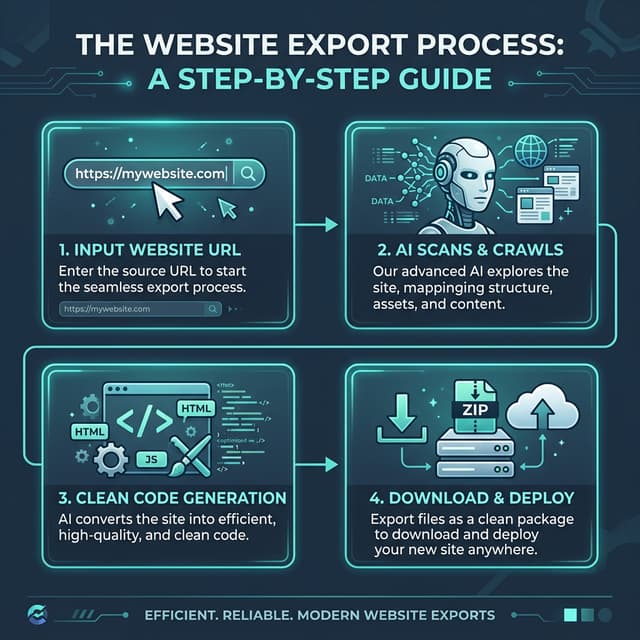
When you export code from visual builders like Framer or Webflow, the structural integrity of your site often takes a back seat to visual fidelity. The result? "Div soup"—a chaotic nest of generic <div> tags that render correctly but lack the semantic meaning search engines and assistive technologies need to properly interpret your site.
In this deep dive, we’ll explore why Semantic HTML is the "secret weapon" for modern SEO in 2026, how it impacts your core web vitals, and the practical steps to cleaning up your export.
The Hidden Cost of "Div Soup"
Most no-code platforms prioritize layout over logic. To achieve complex positioning, they wrap elements in recursive layers of <div> and <span>. While this works for the browser's painting engine, it introduces three significant penalties:
- DOM Depth: Massive DOM trees (over 1,500 nodes) trigger "excessive DOM size" warnings in Lighthouse. This slows down the browser’s calculation of styles and layout (Reflow/Repaint).
- Bot Confusion: Googlebot uses a headless Chrome instance to render your site. If your main content is buried inside 20 nested
<div>s without specific tags like<main>or<article>, the bot has to "guess" what the primary content is. - Accessibility (a11y) Barriers: Screen readers rely on "Landmarks." If a user wants to skip to the navigation but there is no
<nav>tag, they are forced to listen to every element in the DOM until they find what they need.
Deep Dive: Every Semantic Tag You Actually Need
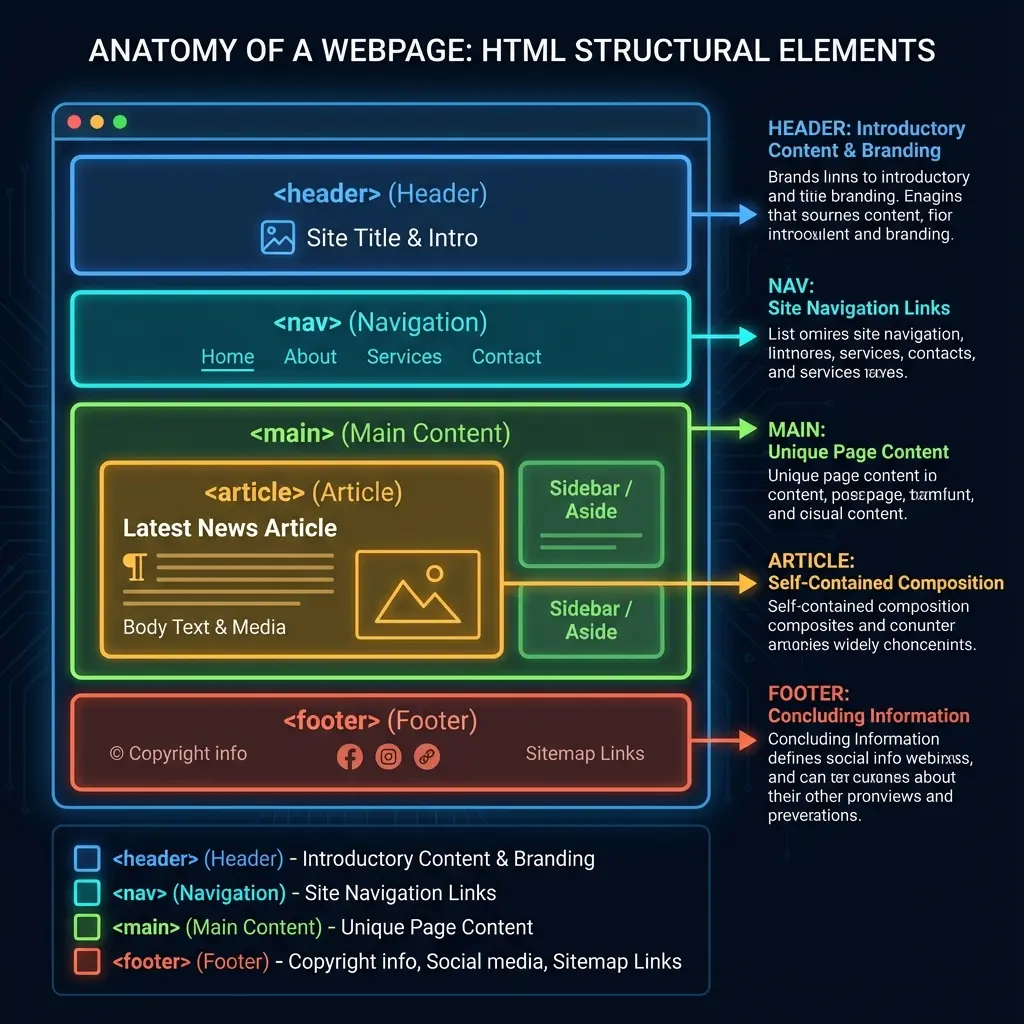
To outrank your competitors, your markup should tell a story. Here is the hierarchy of a high-performance, export-optimized page:
The Landmark Tags
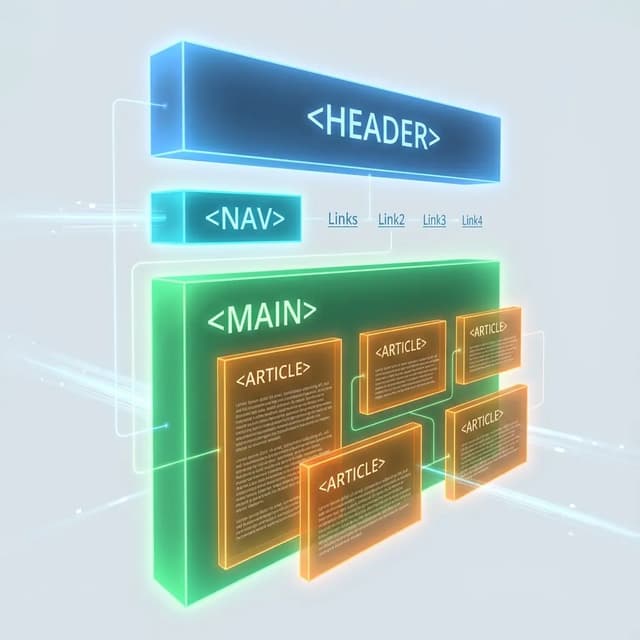
<header>: Contains global navigation and branding. Avoid wrapping this in a generic banner div.<nav>: Specifically for major navigation blocks. Google uses this to identify site hierarchy and sitelinks.<main>: The core content of your page. There should only be ONE<main>per document.<article>: A self-contained piece of content (like this blog post).<section>: Groups related content together. Use this for feature blocks on landing pages.<footer>: Contains copyright, legal links, and secondary navigation.
The Element Tags
<button>vs<a>: Use<a>only for navigation. For triggers that perform a JS action (like opening a modal or switching a tab), always use<button>.<figure>and<figcaption>: Ideal for images or screenshots. It associates the caption directly with the asset for SEO.<address>: Use this in your footer for your physical or contact information. Schema.org loves this.
Comparative Markup: Before vs. After
Let's look at a common component export from a visual builder vs. the optimized semantic version.
❌ The "Div Soup" (Standard No-Code Export)
<div class="c-card-wrapper">
  <div class="c-card-inner">
    <div class="c-image-container">
      <img src="post-1.webp" alt="SEO Tool">
    </div>
    <div class="c-title-text">How to Rank in 2026</div>
    <div class="c-summary-text">Learn the latest SEO tips...</div>
    <div class="c-button-primary" onclick="window.location='/blog/seo'">
       Read More
    </div>
  </div>
</div>
✅ The Semantic Upgrade (Professional Implementation)
<article class="c-card">
  <figure class="c-card-preview">
    <img src="post-1.webp" alt="NoCodeExport SEO Dashboard interface showing keyword rankings">
    <figcaption>Advanced SEO Monitoring</figcaption>
  </figure>
  <h3 class="c-card-title">How to Rank in 2026</h3>
  <p class="c-card-excerpt">Learn the latest SEO tips for AI visibility...</p>
  <a href="/blog/seo" class="c-button-link">Read More</a>
</article>
Why the upgrade is better:
- Crawler Clarity: The browser immediately knows it's an
articlewith a specifich3title. - Navigation: The "Read More" link is a first-class citizen (
<a>), searchable and indexable by search bots. - Performance: We've reduced the tag density (flatter DOM), which speeds up the initial parse.
WAI-ARIA: The Bridge to 100% Accessibility
Sometimes, standard HTML tags aren't enough for complex interactive components (like a custom dropdown or a carousel). This is where WAI-ARIA (Web Accessibility Initiative – Accessible Rich Internet Applications) comes in.
When you export a site from NoCodeExport, we attempt to add these attributes automatically, but you should verify:
role="navigation": If you use a<div>for a footer menu, ensure it has this role.aria-label: Use this on icons or buttons that don't have visible text. Example:<button aria-label="Close Modal">×</button>.aria-expanded: Vital for accordions and mobile menus. It tells the user if the menu is open or closed.
Measuring Success
How do you know if your cleanup worked?
- Lighthouse SEO Score: Target 100/100.
- DOM Node Count: Keep your landing pages under 800 nodes.
- Google Search Console: Watch for "Breadcrumbs" and "Sitestructure" enhancements appearing in your report.
How NoCodeExport Handles It
Our export engine is built logic-first. Instead of blindly copying classes, we identify the intent of a component. If you have a group of links at the top of your site, our engine wraps them in a <nav> tag within a <header>, regardless of how they were styled in the original builder.
We also rewrite internal links to be SEO-friendly and ensure that your headings (<h1>-<h6>) follow a logical hierarchy that doesn't skip levels—a common mistake in visual design.
Conclusion
Semantic HTML is not just a "nice to have"—it is the baseline for professional web development in 2026. By prioritizing meaning over markup, you ensure your site is fast, accessible, and ready to climb the search results.
Ready to see your site's true code potential? Start your export journey here or check out our Webflow Exporter guide to see how we handle IX2 interactions semantically.