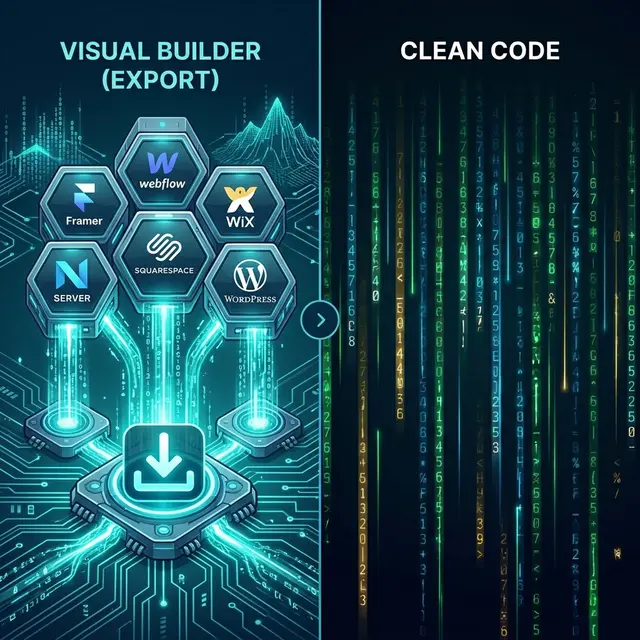
If you are looking to move a Framer site off the platform, you have two main paths: convert your Framer design to code (a custom React or Next.js rebuild) or export it to HTML (a static snapshot of the rendered site). Both approaches let you self-host, but they differ dramatically in cost, timeline, quality, and long-term flexibility. This guide breaks down the Framer to code versus Framer to HTML comparison so you can pick the right path for your project.

Definitions and Expected Output
Before comparing, it helps to define exactly what each path produces.
Framer to Code (Rebuild)
This means hiring a developer (or doing it yourself) to manually recreate your Framer design in a frontend framework like React, Next.js, Astro, or plain HTML/CSS. The developer looks at your Framer site, inspects the design, and writes code from scratch to replicate it.
Output: A custom codebase with component architecture, routing, and full developer control. The code is hand-written and structured however the developer prefers.
Framer to HTML (Export)
This means using an export tool to crawl your published Framer site and generate static HTML, CSS, and JavaScript files that reproduce the rendered output. No manual coding required.
Output: A set of HTML files, stylesheets, scripts, fonts, and images that match your live Framer site. Ready to deploy immediately to any static hosting provider.
For a detailed walkthrough of the Framer export process, see our Framer platform page.
Quality and Fidelity Comparison
| Aspect | Framer to Code (Rebuild) | Framer to HTML (Export) |
|---|---|---|
| Design accuracy | Depends on developer skill | Pixel-accurate (rendered output) |
| Responsive behavior | Must be manually implemented | Preserved from Framer's responsive engine |
| Animations | Must be manually recreated | CSS animations and scroll effects recovered via polyfills |
| Fonts and typography | Must be sourced and configured | Included in export |
| Hover states | Built from design reference | Extracted from Framer's CSS |
| Edge cases | Developer may miss subtle details | Captures exactly what Framer renders |
Key insight: Framer to HTML wins on fidelity by default because it captures the actual rendered output. A rebuild can match or exceed this quality, but only if the developer is experienced and meticulous. In practice, subtle spacing, animation timing, and responsive breakpoint differences are common in rebuilds.
Where a rebuild excels is in code quality and architecture. Exported HTML is accurate but not as clean or maintainable as a well-structured React codebase. If long-term development and feature additions are planned, the rebuild's code quality advantage becomes significant.
Time-to-Deploy Comparison
| Metric | Framer to Code | Framer to HTML |
|---|---|---|
| Typical timeline | 2--4 weeks | Under 5 minutes |
| Developer involvement | Required throughout | Not required |
| Iteration speed | Days per revision | Re-export in minutes |
| Cost | $500--$5,000+ | Free to minimal |
For marketing sites, portfolios, and landing pages where the design is finished and the goal is simply to self-host, the time difference is the deciding factor. An export gets you live in minutes. A rebuild requires a development project with scope, revisions, and testing.
For applications that need custom backend logic, database integration, or ongoing feature development, the rebuild timeline is an investment that pays off over the life of the project.
SEO and Performance Comparison
| Factor | Framer to Code | Framer to HTML |
|---|---|---|
| Initial SEO metadata | Must be manually configured | Preserved from Framer's settings |
| Page speed | Excellent (optimized build) | Excellent (static files, no runtime) |
| Core Web Vitals | Developer-controlled | Improved vs. Framer hosting (no runtime overhead) |
| Structured data | Must be added manually | Preserved if present in Framer |
| URL structure | Fully customizable | Matches Framer's published paths |
| Ongoing SEO control | Full (code-level access) | Requires HTML editing or re-export |
Both paths produce fast, static output that scores well on Lighthouse. The Framer to code path gives you more granular control over SEO elements like schema markup, server-side rendering, and dynamic meta tags. The Framer to HTML path preserves whatever SEO configuration you had in Framer and adds the performance benefit of removing Framer's JavaScript runtime.
If SEO is a primary concern and you plan to invest in ongoing optimization, a code rebuild gives you more flexibility. If you just need to preserve existing rankings while moving to self-hosting, an HTML export handles that cleanly.
For more detail on how code extraction from Framer works under the hood, read our guide on how to get code from Framer.
Decision Framework
Use this framework to pick the right path for your project:
Choose Framer to HTML (Export) When:
- Your site is a marketing page, portfolio, or landing page with a finished design
- You need to self-host quickly and minimize cost
- Design fidelity matters more than code architecture
- You do not plan to add significant new features to the codebase
- You want to stop paying for Framer hosting immediately
- A non-developer needs to manage the migration
Choose Framer to Code (Rebuild) When:
- You need to add custom backend features (authentication, databases, APIs)
- Long-term development and feature additions are planned
- You need a component-based architecture for maintainability
- Multiple developers will work on the codebase
- You want server-side rendering or a full Next.js/React stack
- You are building a web application, not a static site
Choose Both (Hybrid Approach) When:
- You have a large Framer site with both marketing pages and application features
- Export the marketing pages for immediate self-hosting
- Rebuild the application sections with a proper framework
- This is often the most cost-effective approach for complex projects
Real-World Cost Comparison
| Item | Framer to Code | Framer to HTML |
|---|---|---|
| Development cost | $500--$5,000+ | $0 (free tier) to $10/mo (Pro) |
| Timeline | 2--4 weeks | Under 5 minutes |
| Ongoing changes | Developer billing (hourly) | Re-export or edit HTML |
| Hosting | $0 (static) or $20+/mo (server) | $0 (Netlify, Vercel, etc.) |
| Year 1 total cost | $1,000--$10,000+ | $0--$120 |
For 95% of marketing sites, portfolios, and landing pages, exporting is the clear winner on cost and time. The rebuild path makes economic sense only when the project requires ongoing development work that justifies the initial investment.
The Bottom Line
For finished marketing sites, portfolios, and landing pages, Framer to HTML export is the fastest, cheapest, and most accurate path to self-hosting. For projects that need custom features, ongoing development, or a full application framework, a code rebuild is the better long-term investment.
Most projects benefit from starting with an export and upgrading to a rebuild only when the project's requirements grow beyond what static HTML can support.
Going the other direction? If you have HTML files and want to bring them into Framer, read our guide on HTML to Framer conversion.
Export your Framer site for free with NoCodeExport and see the results for yourself.
Frequently Asked Questions
Technical Background
Understanding the underlying architecture is key to long-term scalability. NoCodeExport prioritizes clean, modular code generation that adheres to modern web standards.
Architecture
Built on top of established frameworks ensure portability and performance across any hosting provider.
Security
Static generation significantly reduces the attack surface, providing enterprise-grade security for every project.